
For patients
Your psychologist has invited you to Steady, a small app for checking in between sessions. Here's what that means for you.
Get the app
- Scan the QR code your psychologist gave you with your phone’s camera. It opens your practice’s invite page.
- Install Steady from the link on that page.
- Open the invite again and Steady connects itself to your practice. You choose a password, and you’re in.
Steady is on its way to the App Store and Google Play. Your practice's invite page has the right link for your phone.
What you’ll do
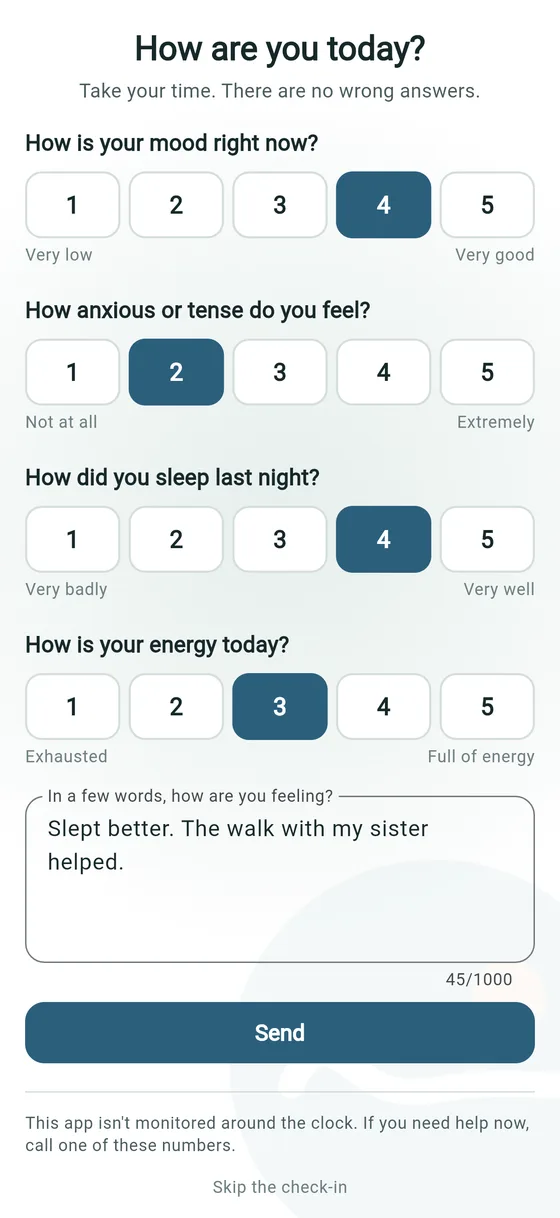
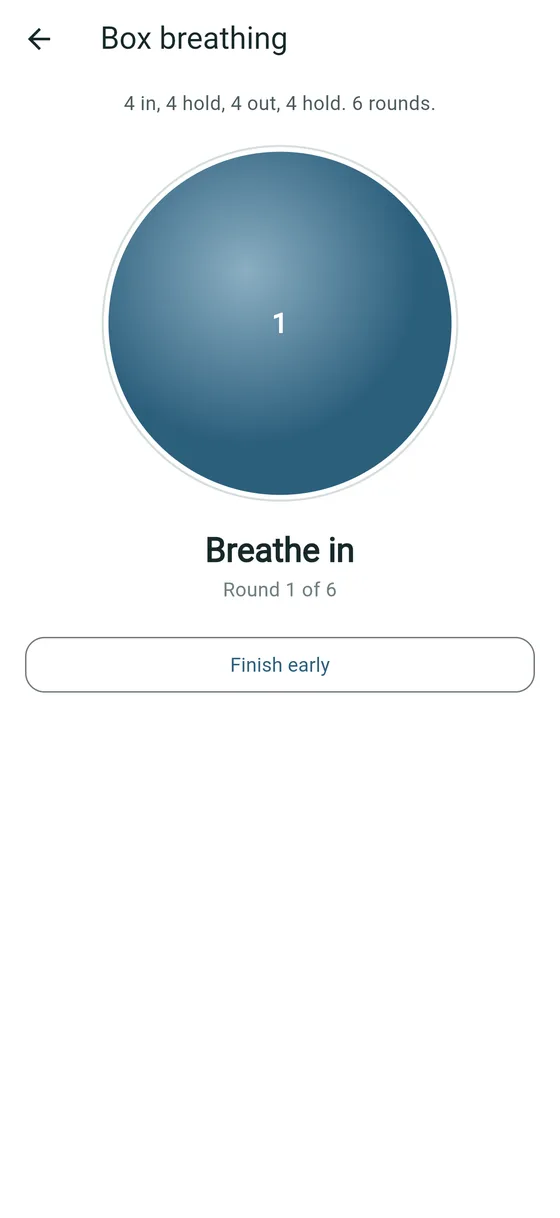
- Check in. Rate your mood, anxiety, sleep and energy from 1 to 5, and add a few words if you want to. There are no wrong answers.
- Answer questionnaires your psychologist sends, such as the PHQ-9 or GAD-7.
- Do exercises like slow breathing or grounding, whenever you need them.
- Look back over your own check-ins for two weeks, a month or three months.
Who sees what
Your psychologist sees what you share in Steady: your check-ins and notes, your answers, and your watch summary if you’ve turned it on. Nobody else’s patients see anything of yours, and you see only your own.
Questionnaire scores go to your psychologist, who’ll talk them through with you. You won’t see a score on your phone without that conversation.
Your information is kept on your practice’s own server in South Africa. There are no adverts, nothing tracks you, and nothing is sold. Notifications on your lock screen never show your name or how you’re feeling. Read the privacy policy.
Your watch, only if you want
You can share a daily summary from your watch or phone: heart rate, sleep, steps and blood oxygen, from Apple Health or Health Connect. It’s off until you turn it on, and you can turn it off at any time. Your psychologist sees it next to your usual range. It doesn’t raise alarms.
If you need help now
Steady isn’t an emergency service, and nobody watches it around the clock. If you’re not safe, or you need to talk to someone now:
- SADAG: 0800 567 567, free, 24 hours
- Emergency: 112 from a mobile phone
These numbers are on every screen in the app too.
Stopping, or deleting your account
You can stop using Steady at any time. Tell your psychologist, or simply stop checking in.
To delete your account, go to Settings > Delete my account in the app. Your request goes to your practice, who delete your Steady account within 30 days and email you when it’s done.
Your practice does it, not the app, because South African law requires psychologists to keep clinical records: for at least six years after your last contact, and longer for children (HPCSA Booklet 9). So your practice first copies what belongs in your clinical file, then deletes everything Steady holds about you.
No longer have the app? Ask your practice, or email info@openworks.co.za and we’ll pass it on.
Questions
Questions about your check-ins or your care go to your psychologist. If the app itself isn’t working, tell your practice; they’ll get it to us.